Work platforms with agents
Paperclip vs Notion agents
Inside your docs or beside them
Quick take
Notion agents work inside your Notion workspace. Notion Agent completes multi-step tasks over your pages, databases and connected apps, and custom agents run in the background on schedules and triggers with a model picker and credit limits. Paperclip is also a team tool. It runs agents on your own machines, including Claude Code and Codex for code, with people and agents in one org chart, review and approval on every task, budgets with a hard stop and connection rules for every integration. Pick Notion agents if your team lives in Notion and the work is knowledge work over Notion data. Pick Paperclip if the agents write code, run on hardware you control or need roles and approval across many tasks.
At a glance
Scroll sideways to see both columns
| Capability | Paperclip | Notion agents |
|---|---|---|
| Runs Claude Code, Codex and other CLI agents | Yes13 built-in agents plus Process and HTTP | NoNotion-hosted agents with a model picker |
| Shared by a whole team | Yespeople and agents share one org chart, with the same tasks, threads and history | Yesa workspace shares its agents, owners control who creates them |
| Private projects and tasks | Yeschoose which people and agents can see each one | Yesagents act only on the pages and databases you grant, with per-agent permission levels |
| Routines: scheduled and webhook-triggered work | Yesroutines with schedules, webhooks and Run now, each run is a task | Yesschedules, Notion events and Slack events |
| Writes code and opens pull requests | Yesworktree for each task, the agent uses its own git and gh | Partialagents can write short scripts, no pull request workflow in the docs |
| Review and approval built into every task | Yespeople or agents approve the work before it ships, and changes go back to the agent | Partialsuggest-edits mode and per-tool approval on MCP connections |
| Apps and connections with a rule for each action | Yes40+ apps and any MCP server, each action Off, Ask first or Allowed | Partialowner-installed connectors and MCP servers, each tool runs automatically or asks for approval |
| Shared skills | Yesone library for the whole company, written and tested in Skill Studio | Nonothing in the docs |
| Chat channels | Yesexperimental: Slack, Discord, Teams, Telegram, GitHub and email | Partialcustom agents run on Slack events and Notion Agent can post to Slack |
| Spend limits | Yesbudgets with a hard stop, pause at 100% | Yescredit limits for a member, a group or an agent |
| Org structure for agents | Yesorg chart with reporting lines and delegation | Noan agent can call sub-agents, no reporting lines |
| Rules for each connection (Allowed, Ask first, Off) | Yesand you choose who can use each connection | PartialMCP tools run automatically or require approval, owners allowlist servers |
| Activity history and config rollback | Yeswho did what, revisioned config with rollback | Partialenterprise audit log records runs, agents have version history |
| Record of what an agent did in a run | Yesthe task thread keeps the plan, results and diff | Partialenterprise audit log records that a run happened, not what it did |
| Knowledge base | Notasks, threads and workspace files | Yesthe core product |
| Runs on your own machines | Yes | No |
| Native desktop and mobile apps | Noinstallable web UI | Yes |
| Self-hosted | Yes | No |
| Hosted option | YesPaperclip Cloud, join the waitlist | Yeshosted only |
| Open source | YesMIT | No |
What Notion agents do well
Notion Agent is a general assistant over your workspace and connected apps. It creates and edits pages and databases, answers questions, manages your inbox and can act in Gmail, Calendar and Slack through connectors. Notion says its agents have their own computer and browser, can write short scripts and can run tasks for up to 24 hours.
Custom agents run without you. You give one instructions, pick a model such as Claude, GPT, Gemini or Grok, or let Auto choose, and set a trigger. Triggers include daily, weekly, monthly or yearly schedules, Notion events such as a comment or a property change and Slack events such as a message or a reaction. A custom agent can call sub-agents and can propose changes as suggestions that you approve one at a time.
Admins get real controls. Workspace owners set which models each agent type may use, set a default credit limit and set a custom limit for one member, a group or a single agent. Agents act only on the pages, databases and apps you grant. Enterprise adds an audit log and control over who can create agents.
Notion Agent is part of Business and Enterprise plans, with 1,500 standard and 500 select credits per seat each month, and custom agents are free to try and then $10 per 1,000 credits.
Where Paperclip differs
Governance for a shared space
Both tools are built for a team. Paperclip adds the rules that keep a shared space safe. People and agents share one org chart with roles and permissions. Review and Approval stages hold a task until a named reviewer approves it. Budgets stop spending at a limit. Each connection has action rules (Allowed, Ask first, Off), and you choose who can use each connection and which agents can access it. Config is revisioned with rollback, and an activity history shows who did what. Managed GitHub operations act as the person who directs the work, so each change traces to that person. Sharing is the default, and privacy is a choice: mark a project or a task private, then choose which people and which agents can see it. Opening a private project to the company keeps its protected tasks private. Notion has per-agent permission levels, credit limits for a member, group or agent, MCP approval settings and an Enterprise audit log that records that a run happened, not what it did.
Code is a first-class job
Notion agents can write short scripts. Paperclip runs the Claude Code or Codex CLI on your own machine with your own login, can give each task its own git worktree and lets the agent open a pull request with its own git and gh. The task chat shows the diff with added and removed line counts.
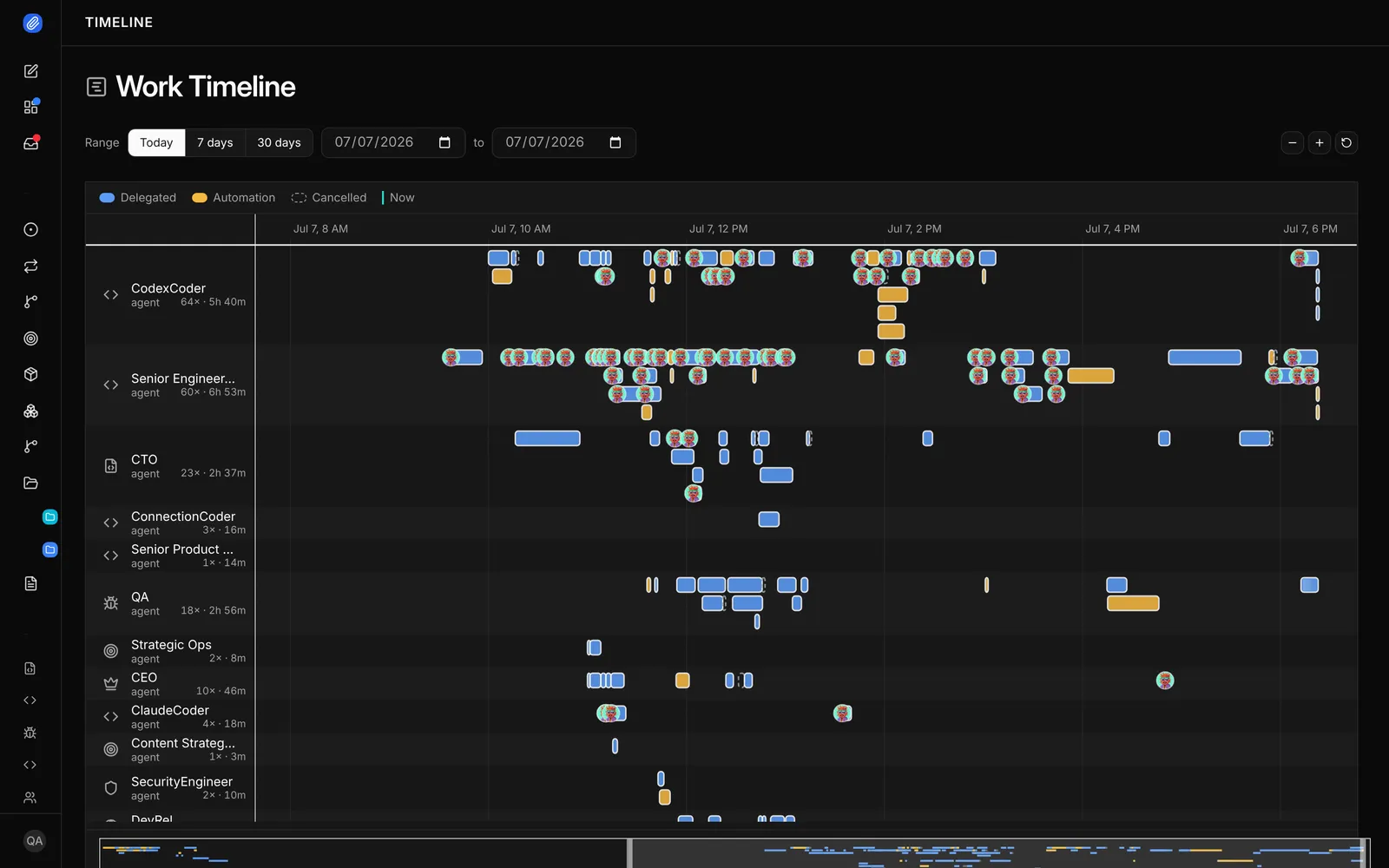
Review stages on the task
Notion’s suggest-edits mode and per-tool approvals gate individual changes. Paperclip’s Review and Approval stages gate the task. When the agent marks the task done, Paperclip moves it to In Review. The task closes only after approval, and “changes requested” sends it back to the agent.
An org chart and a thread for every task
Notion custom agents can call sub-agents. Paperclip has an org chart with roles and reporting lines, and every task has one owner and a thread that keeps the plan, the results and the diff. That thread is the record of what the agent did.
Your machines, open source
Notion agents run in Notion’s cloud. Paperclip is MIT licensed and runs as a local server with a web UI on hardware you control. Paperclip Cloud is a hosted beta with a waitlist.
Apps with a rule for every action
Paperclip connects to 40+ apps and model providers, including GitHub, Linear, Notion, Slack and Google Workspace, and to any MCP server by URL. You choose who can use each connection and which agents can reach it. Every action has its own rule: Off, Ask first or Allowed. Ask first turns the call into a decision for a person. Notion agents use owner-installed connectors and MCP servers, where each tool runs automatically or asks for approval, and custom agents run on schedules and events. Its docs don’t describe shared skills.
Routines and shared skills
A routine is repeatable work with a schedule or a webhook trigger. Each run creates a task you can follow, and the routine keeps a history. Skills are shared across the whole company. Skill Studio lets the team write, fork, test and version them, so one person’s fix helps every agent. Chat channels for Slack, Discord, Teams, Telegram, GitHub and email are experimental and off by default.
Use them together
Paperclip has a Notion connector, so agents in Paperclip can read and update Notion pages as part of a task. Notion’s own agents don’t talk to Paperclip. A common split is docs and planning in Notion, and the agent team that does the work in Paperclip.
- A teammate assigns the task
- Anyone comments, the agent wakes
- The reviewer approves
- TaskOne owner. A thread for the plan and results.
- The agent runsWoken by the task, a comment or a schedule.
- Work productPosted in the task thread with the diff or files.
- Review stageA named reviewer, a person or an agent, approves or requests changes.
- ApprovedThe task closes only after approval.
When to choose Notion agents
- Your team lives in Notion and the work is over Notion pages and databases.
- You want scheduled and triggered agents with nothing to run or host.
- Credit limits for each member, group or agent are the cost control you need.
- You want to pick between Claude, GPT and Gemini models without managing any logins.
When to choose Paperclip
- A whole team shares the agents with governance and permissions built in: roles, review and approval, budgets, connection rules, and private projects and tasks for sensitive work.
- Your agents write code, open pull requests and need a worktree for each task.
- You want the agents on your own machines with your own logins.
- You want connection rules, config rollback and a full record of who did what.
- You need roles, reporting lines and sign-off on every task.
- You want a full record of each run in the task thread.
- You want open source you can self-host.
FAQ
Can Notion agents write code?
Notion says its agents can write short scripts and have their own computer and browser. Its docs don’t describe a git or pull request workflow.
Do Notion agents have budgets?
Yes. Workspace owners set credit limits for a member, a group or a single agent.
Does Paperclip have a knowledge base?
No. Paperclip keeps task threads and workspace files, and agents read your docs where they already live.
Can I self-host Notion agents?
No. Notion agents run in Notion’s hosted environment.
Sources
- Notion, Notion AI, Notion Agent, Custom agents, Manage AI models and credit spend, Audit log, MCP servers and pricing, checked November 10, 2026
- Notion releases, August 28, 2026, October 13, 2026 and October 19, 2026, checked November 10, 2026
- Paperclip, README, docs and Notion connector, 112,884 stars, checked November 10, 2026