Quick take
Cabinet is a knowledge base first. Everything lives as markdown files on disk with git history, and AI agents work inside that knowledge base on scheduled jobs and chat requests, with a human approval queue before anything touches the outside world. Paperclip is a team of agents first, and a team of people too. Everyone shares one space with the same tasks, threads and history, agents have roles and reporting lines, and review stages, budgets and connection rules sit around every run. Pick Cabinet if you want your docs and your agents in one self-hosted app. Pick Paperclip if the agents do the work, including code, and the knowledge lives wherever it already lives.
At a glance
Scroll sideways to see both columns
| Capability | Paperclip | Cabinet |
|---|---|---|
| Runs Claude Code, Codex and Gemini CLI | Yes13 built-in agents plus Process and HTTP | Yesadapters for Claude Code, Codex, Gemini CLI, OpenCode and Pi, plus API keys |
| Shared by a whole team | Yespeople and agents share one org chart, with the same tasks, threads and history | Partialone password gates the whole UI, shared workspaces are in early access |
| Private projects and tasks | Yeschoose which people and agents can see each one | Noone password gates the whole knowledge base |
| Knowledge base | Notasks, threads and workspace files | Yesmarkdown on disk with git history |
| Routines: scheduled and webhook-triggered work | Yesroutines with schedules, webhooks and Run now, each run is a task | Partialcron jobs, no webhooks in the docs |
| Git worktree for each task | Yesopt-in with Isolated Workspaces | Nonot in the docs |
| Review and approval built into every task | Yespeople or agents approve the work before it ships, and changes go back to the agent | Yesan approval queue before an agent sends email or calls an API |
| Apps and connections with a rule for each action | Yes40+ apps and any MCP server, each action Off, Ask first or Allowed | PartialMCP servers for GitHub, Google Workspace, Stripe, Figma and Playwright, behind one approval queue |
| Shared skills | Yesone library for the whole company, written and tested in Skill Studio | Partialskills installed from skills.sh |
| Chat channels | Yesexperimental: Slack, Discord, Teams, Telegram, GitHub and email | Partiala Telegram gateway and in-app Channels |
| Budget with a hard stop | Yescompany, agent or project, pauses at 100% | Nono AI markup, but no spend limit in the docs |
| Org structure for agents | Yesorg chart with reporting lines and delegation | No20 prebuilt agent templates, no reporting lines in the docs |
| Rules for each connection (Allowed, Ask first, Off) | Yesand you choose who can use each connection | Partialan approval queue before external actions |
| Activity history and config rollback | Yeswho did what, revisioned config with rollback | Partialgit history of the knowledge base |
| Native desktop app | Noinstallable web UI | YesmacOS and Windows |
| Self-hosted | Yesa local server, one command | Yesnpx create-cabinet |
| Hosted option | YesPaperclip Cloud, join the waitlist | PartialCabinet Cloud has a waitlist |
| Open source | YesMIT | YesMIT |
What Cabinet does well
Cabinet keeps everything as markdown on disk. There is no database, every save commits to git and you can open the files in any editor. The web UI runs on localhost, and there is a desktop app for macOS and Windows.
Agents live inside that knowledge base. You bring your own model providers and API keys, and inference never routes through Cabinet. CLI adapters run Claude Code, Codex, Gemini CLI, OpenCode and Pi. Twenty prebuilt agent templates cover roles such as CEO, product manager, SEO and QA. Scheduled jobs run on cron, such as a Reddit scout every six hours or a weekly report on Monday. Channels let people mention agents in chat. Every dispatched task waits in a human approval queue before it sends an email, calls an API or touches anything external.
Integrations run through MCP servers for GitHub, Google Workspace, Stripe, Figma and Playwright. Cabinet is MIT licensed, free to self-host, and has a hosted plan on a waitlist at $20 and $49 a month. On November 10, 2026 it had 2,891 GitHub stars.
Where Paperclip differs
Governance for a shared space
Both tools are built for a team. Paperclip adds the rules that keep a shared space safe. People and agents share one org chart with roles and permissions. Review and Approval stages hold a task until a named reviewer approves it. Budgets stop spending at a limit. Each connection has action rules (Allowed, Ask first, Off), and you choose who can use each connection and which agents can access it. Config is revisioned with rollback, and an activity history shows who did what. Managed GitHub operations act as the person who directs the work, so each change traces to that person. Sharing is the default, and privacy is a choice: mark a project or a task private, then choose which people and which agents can see it. Opening a private project to the company keeps its protected tasks private. Cabinet gates the whole UI with one password today, with shared workspaces in early access, and its approval queue holds external actions. Its docs don’t describe roles, budgets or config rollback.
The task is the unit, not the document
In Cabinet the knowledge base is the center and agents act on it. In Paperclip the task is the center. A task has one owner and a thread that keeps the plan, the results and the diff. Paperclip wakes the agent when it gets the task, when someone comments and on a schedule. Knowledge stays in your repositories, your docs tool or your wiki.
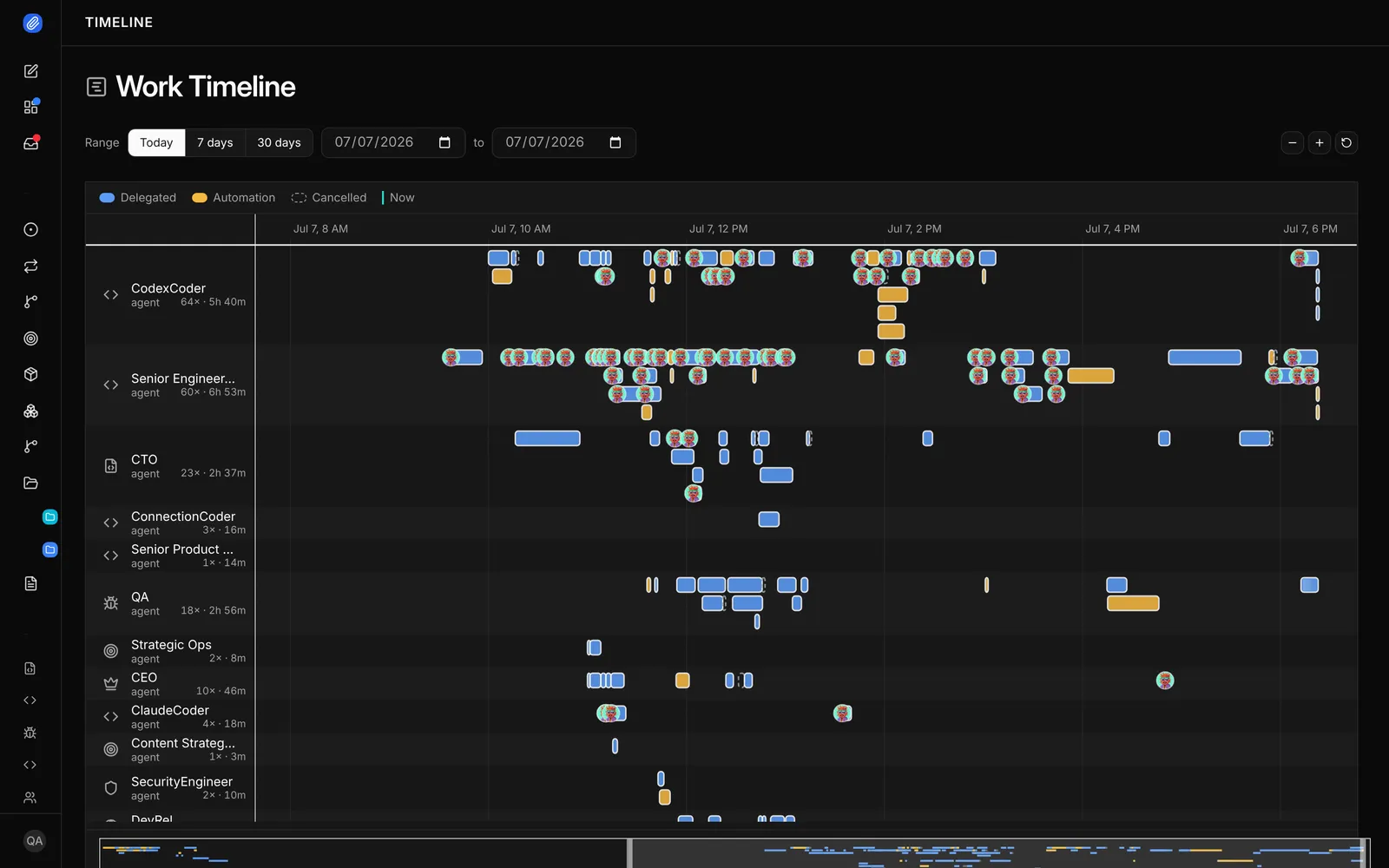
Code is a first-class job
Paperclip can give each task its own git worktree, and the agent opens pull requests with its own git and gh. The task chat shows the diff with added and removed line counts. Cabinet’s agents can use a terminal, but its docs don’t describe worktrees or a pull request workflow.
Review stages on every task, and budgets with a stop
Cabinet’s approval queue gates external actions. Paperclip’s Review and Approval stages gate the task itself. The task closes only after approval, and “changes requested” sends it back. Budgets on the company, an agent or a project warn at 80% and pause the agent at 100%.
An org chart
Cabinet ships agent templates. Paperclip ships an org chart. Agents have roles and reporting lines, a lead agent can split a plan into tasks and delegation follows the chart.
Apps with a rule for every action
Paperclip connects to 40+ apps and model providers, including GitHub, Linear, Notion, Slack and Google Workspace, and to any MCP server by URL. You choose who can use each connection and which agents can reach it. Every action has its own rule: Off, Ask first or Allowed. Ask first turns the call into a decision for a person. Cabinet connects MCP servers for GitHub, Google Workspace, Stripe, Figma and Playwright behind its approval queue, runs cron jobs and installs skills from skills.sh.
Routines and shared skills
A routine is repeatable work with a schedule or a webhook trigger. Each run creates a task you can follow, and the routine keeps a history. Skills are shared across the whole company. Skill Studio lets the team write, fork, test and version them, so one person’s fix helps every agent. Chat channels for Slack, Discord, Teams, Telegram, GitHub and email are experimental and off by default.
Use them together
There is no integration between Cabinet and Paperclip. A team could keep its docs in Cabinet and run its work in Paperclip, but the two don’t talk to each other.
- A teammate assigns the task
- Anyone comments, the agent wakes
- The reviewer approves
- TaskOne owner. A thread for the plan and results.
- The agent runsWoken by the task, a comment or a schedule.
- Work productPosted in the task thread with the diff or files.
- Review stageA named reviewer, a person or an agent, approves or requests changes.
- ApprovedThe task closes only after approval.
When to choose Cabinet
- You want a knowledge base and your agents in one self-hosted app.
- You like markdown on disk with git history and no database.
- Your agents mostly run scheduled jobs and answer questions from your docs.
- You want prebuilt agent templates to start from.
When to choose Paperclip
- A whole team shares the agents with governance and permissions built in: roles, review and approval, budgets, connection rules, and private projects and tasks for sensitive work.
- Your agents write code, open pull requests and need a worktree for each task.
- You want roles, reporting lines and delegation across a team of agents.
- You want a person or an agent to sign off on every task before it ships.
- You need a spending limit with a real stop.
FAQ
Is Cabinet open source?
Yes. Cabinet is MIT licensed and free to self-host. Cabinet Cloud is a paid hosted plan with a waitlist.
Does Cabinet run coding agents?
Yes. It has CLI adapters for Claude Code, Codex, Gemini CLI, OpenCode and Pi. Its docs don’t describe git worktrees or a pull request workflow.
Does Paperclip have a knowledge base?
No. Paperclip keeps task threads and workspace files, and agents read your repositories and docs where they already live.
Can both run on my own machine?
Yes. Both are local servers with a web UI. Cabinet also has a desktop app.
Sources
- Cabinet, homepage, pricing, BYOAI docs and integrations, checked November 10, 2026
- GitHub, cabinetai/cabinet README and CHANGELOG, 2,891 stars, MIT, checked November 10, 2026
- Paperclip, README and docs, 112,884 stars, checked November 10, 2026