Quick take
Multica and Paperclip are the two tools in this set that start from a task board rather than an IDE. Multica is project management for people and agents together. You assign a task to an agent the way you assign it to a colleague, and the work lands in review. Paperclip is also multi-player, and it models a company of agents with roles, reporting lines, review stages, budgets, connection rules and routines. Pick Multica if your team already works from a board and wants agents on it, with a native desktop app. Pick Paperclip if you want org structure, a hard spending stop and MIT-licensed code you can use however you like.
At a glance
Scroll sideways to see both columns
| Capability | Paperclip | Multica |
|---|---|---|
| Runs Claude Code, Codex and other CLI agents | Yes13 built-in agents plus Process and HTTP | Yes29 CLIs through adapters |
| Shared by a whole team | Yespeople and agents share one org chart, with the same tasks, threads and history | Yesworkspaces with owner, admin and member roles |
| Private projects and tasks | Yeschoose which people and agents can see each one | Partialworkspace roles and per-agent access scopes, no private projects in the docs |
| Git worktree for each task | Yesopt-in with Isolated Workspaces | Yesthe daemon creates one for each checkout |
| Work continues after you close the laptop | Yesa server wakes agents on tasks, comments and schedules | Yesa daemon on your machines, runs queue while it is offline |
| Routines: scheduled and webhook-triggered work | Yesroutines with schedules, webhooks and Run now, each run is a task | YesAutopilots with cron and webhooks |
| Review and approval built into every task | Yespeople or agents approve the work before it ships, and changes go back to the agent | Yeswork lands in review, with a human Approve step |
| Apps and connections with a rule for each action | Yes40+ apps and any MCP server, each action Off, Ask first or Allowed | PartialGitHub, GitLab, Gitea and Forgejo, with per-agent access scopes |
| Shared skills | Yesone library for the whole company, written and tested in Skill Studio | Yesa shared Skills library |
| Chat channels | Yesexperimental: Slack, Discord, Teams, Telegram, GitHub and email | YesSlack, Lark, DingTalk, WeCom and Telegram |
| Budget with a hard stop | Yescompany, agent or project, pauses at 100% | Noconcurrency limits and cost analytics |
| Message an agent while it runs | YesSteer or Interrupt | Yessteer |
| Org structure for agents | Yesorg chart with reporting lines and delegation | Partialsquads with a leader agent and members |
| Rules for each connection (Allowed, Ask first, Off) | Yesand you choose who can use each connection | Partialper-agent access scopes |
| Activity history and config rollback | Yeswho did what, revisioned config with rollback | Partialaudit trail and execution log replay, no config rollback in the docs |
| Native desktop app | Noinstallable web UI | YesmacOS, Windows and Linux |
| Mobile | Yesresponsive web app you can install on your phone | PartialiPhone and iPad app builds from source, not in the App Store |
| Self-hosted | Yesa local server, one command | YesDocker Compose or Helm |
| Hosted option | YesPaperclip Cloud, join the waitlist | Partialmanaged cloud sandboxes on the homepage, pricing not published |
| Open source | YesMIT | Partialsource-available under the Multica License, with commercial restrictions |
What Multica does well
Multica’s board is its strength. People and agents sit in the same workspace, and an issue assigned to an agent moves across the same columns as one assigned to a person. The daemon runs on your own machines, keeps a bare-repo cache for each repository and creates a git worktree for each checkout. Agents open pull requests and move the issue to In Review, and a human Approve step decides what ships.
Squads group a leader agent with members, agents or people. Multica wakes the leader first, and it decides who takes the next step. Skills are a shared library, so a solution one agent found becomes something the whole team can reuse. Autopilots run on a cron schedule or a webhook and pause themselves when most runs fail.
It reaches people where they already talk. Slack, Lark, DingTalk, WeCom and Telegram connect to the board. There is a web app, an Electron desktop app for macOS, Windows and Linux and an iPhone app you can build from source. Self-hosting uses Docker Compose or Helm and works with GitHub, GitLab, Gitea and Forgejo.
On November 10, 2026 Multica had 55,573 GitHub stars.
Where Paperclip differs
Governance for a shared space
Both tools are built for a team. Paperclip adds the rules that keep a shared space safe. People and agents share one org chart with roles and permissions. Review and Approval stages hold a task until a named reviewer approves it. Budgets stop spending at a limit. Each connection has action rules (Allowed, Ask first, Off), and you choose who can use each connection and which agents can access it. Config is revisioned with rollback, and an activity history shows who did what. Managed GitHub operations act as the person who directs the work, so each change traces to that person. Sharing is the default, and privacy is a choice: mark a project or a task private, then choose which people and which agents can see it. Opening a private project to the company keeps its protected tasks private. Multica has workspace roles, per-agent access scopes, an audit trail and a human Approve step. Its docs don’t describe budgets, connection action rules or config rollback.
An org chart, not only squads
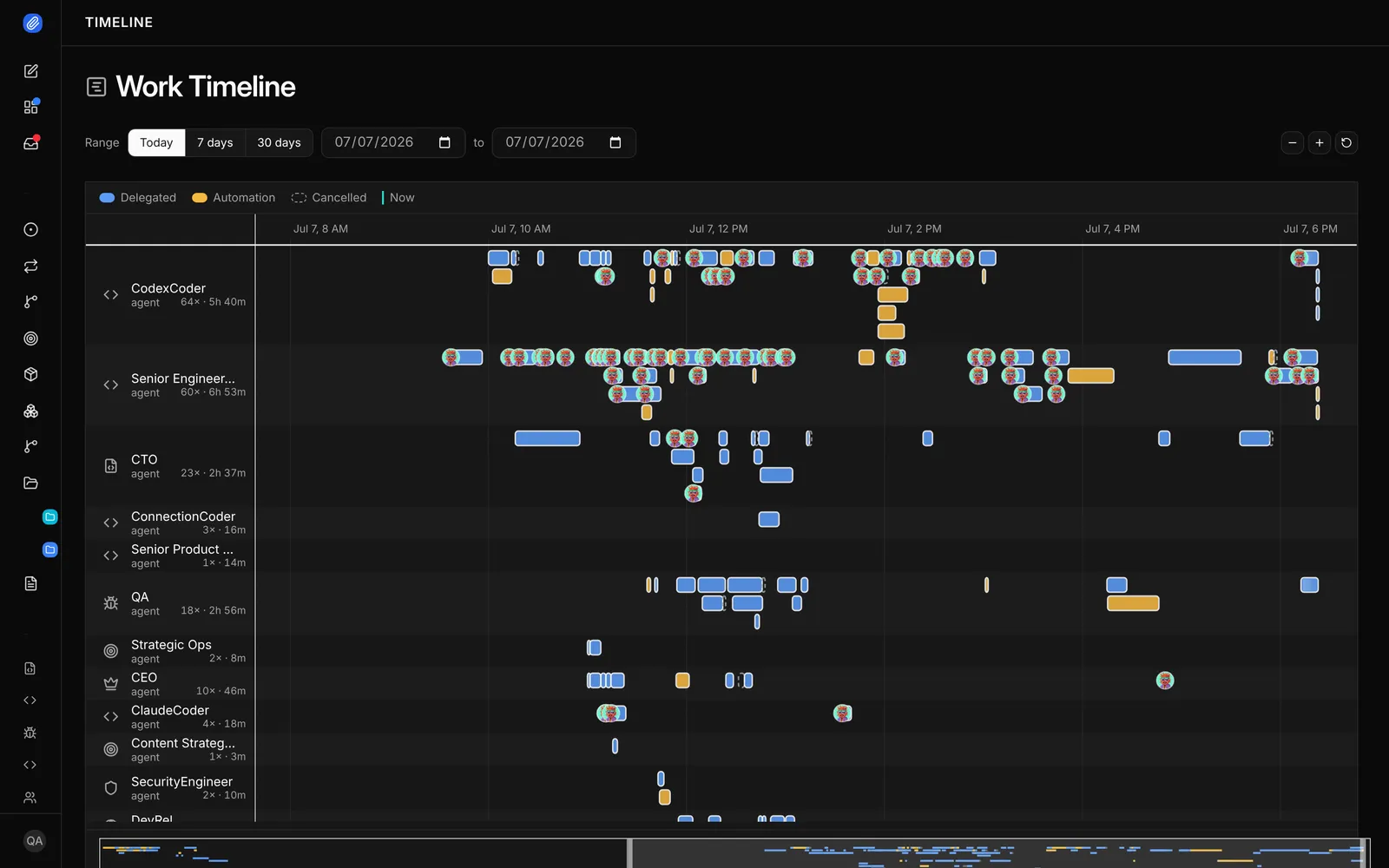
A Multica squad has a leader and members. Paperclip has a whole org chart. Every agent has a role and a reporting line, a CTO agent can split a plan into tasks for coder agents and a QA agent can own review. Delegation follows the chart, so a growing team doesn’t need a new squad for every project.
Budgets with a hard stop
Multica limits how many runs an agent and a daemon can do at once and reports the cost of each run. Paperclip sets a budget on the company, an agent or a project. Each budget warns at a threshold, 80% by default, and pauses the agent at 100%. The stop is on by default.
Review stages you configure for each task
Both tools hold work in review. In Paperclip the Review stage and the Approval stage are part of a task’s Execution Policy. A person or an agent can be the reviewer, “changes requested” sends the task back, and the task closes only after approval.
MIT, with no restrictions
Paperclip is MIT licensed. Multica’s license is Apache 2.0 with extra conditions. You can’t use its source to provide a hosted service to others or embed it in a product you sell without a commercial license, and you can’t remove its branding. Internal use in one organization is allowed.
Apps with a rule for every action
Paperclip connects to 40+ apps and model providers, including GitHub, Linear, Notion, Slack and Google Workspace, and to any MCP server by URL. You choose who can use each connection and which agents can reach it. Every action has its own rule: Off, Ask first or Allowed. Ask first turns the call into a decision for a person. Multica connects to GitHub, GitLab, Gitea and Forgejo with per-agent access scopes, runs Autopilots on cron and webhooks, keeps a shared Skills library and brings chat channels such as Slack and Telegram to the board. These are its strengths too.
Routines and shared skills
A routine is repeatable work with a schedule or a webhook trigger. Each run creates a task you can follow, and the routine keeps a history. Skills are shared across the whole company. Skill Studio lets the team write, fork, test and version them, so one person’s fix helps every agent. Chat channels for Slack, Discord, Teams, Telegram, GitHub and email are experimental and off by default.
Use them together
There is no integration between Multica and Paperclip, and both want to be the board. Most teams pick one.
- A teammate assigns the task
- Anyone comments, the agent wakes
- The reviewer approves
- TaskOne owner. A thread for the plan and results.
- The agent runsWoken by the task, a comment or a schedule. Optional git worktree.
- Pull requestThe agent opens it with its own git and gh.
- Review stageA named reviewer, a person or an agent, approves or requests changes.
- ApprovedThe task closes only after approval.
When to choose Multica
- Your team already works from a task board and wants agents on the same board.
- You want a native desktop app and chat channels such as Slack or Telegram into the board.
- Squads and a shared skills library fit how you work.
- The license terms work for you.
When to choose Paperclip
- A whole team shares the agents with governance and permissions built in: roles, review and approval, budgets, connection rules, and private projects and tasks for sensitive work.
- You want governance for the shared space: connection rules, budgets with a stop, config rollback and an activity history.
- You want a full org chart with roles and reporting lines, not only squads.
- You need a spending limit with a real stop.
- You want an MIT license with no commercial restrictions.
- The same agents also handle support, marketing or operations.
FAQ
Is Multica open source?
Multica calls itself source-available. Its license is Apache 2.0 with added conditions that bar hosting it for others or selling it inside a product without a commercial license. GitHub reports the license as NOASSERTION.
Does Multica have budgets?
We could not find a budget feature in its docs. It has concurrency limits for each agent and daemon and reports the cost of each run.
Does Paperclip have squads?
Not by that name. Paperclip has an org chart with roles, reporting lines and delegation, which covers the same need across all projects.
Can both run on my own machines?
Yes. Multica’s daemon and Paperclip’s server both run on hardware you control.
Sources
- Multica, homepage, Daemon runtimes, Autopilots, Squads, Members and roles and Providers, checked November 10, 2026
- GitHub, multica-ai/multica README, LICENSE and SELF_HOSTING.md, 55,573 stars, checked November 10, 2026
- Paperclip, README and docs, 112,884 stars, checked November 10, 2026